Step 1 - Adding a client to Moneyscope
To add a new client, click 'Add new client' and then enter your client's name and age. From this point you'll be able to start building cash flow forecasts for that client. Click 'Continue' to start to enter information for the scenario.
Step 2 - Add your client's financial information
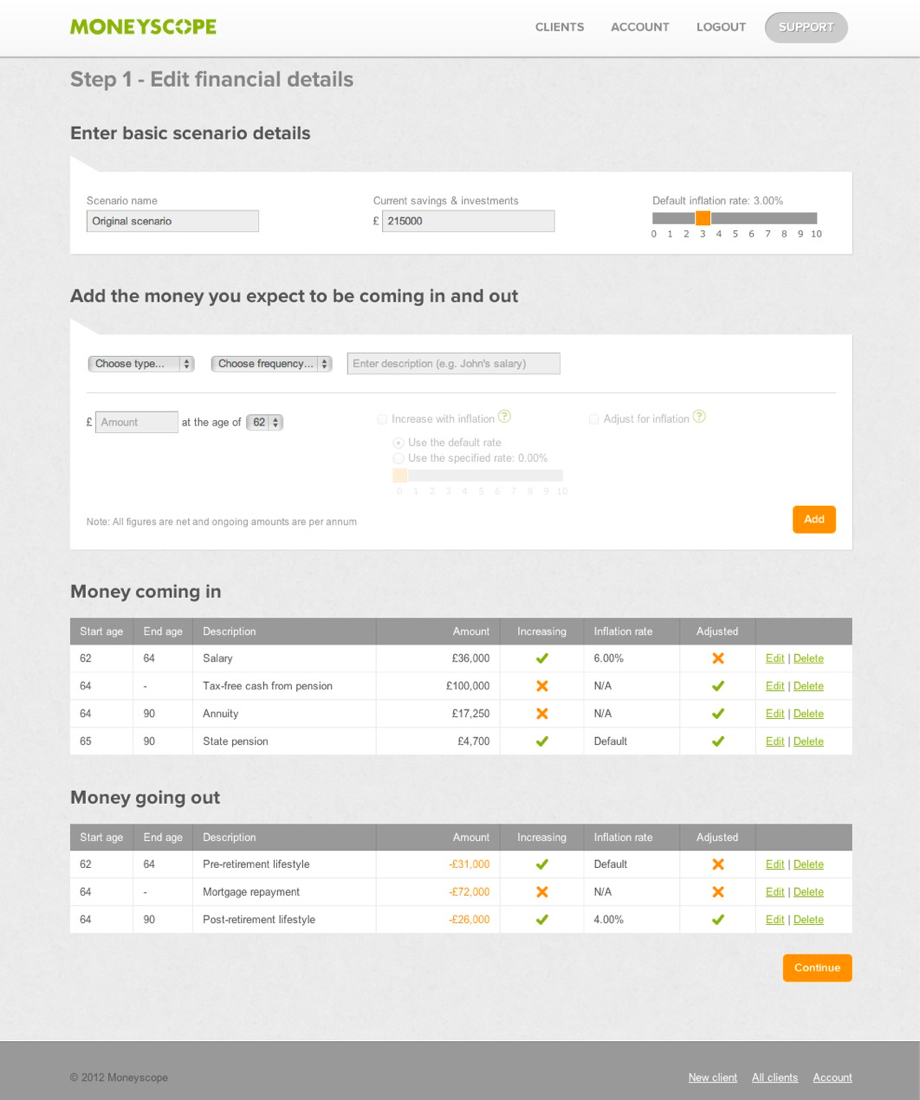
Edit the name of the scenario and add current savings and investments for your client. You can choose the frequency and type of money coming in / money going out, add a description and, if you want to, apply an individual inflation rate to each item. Click 'Continue' to see the results.
Step 3 - Edit the variables
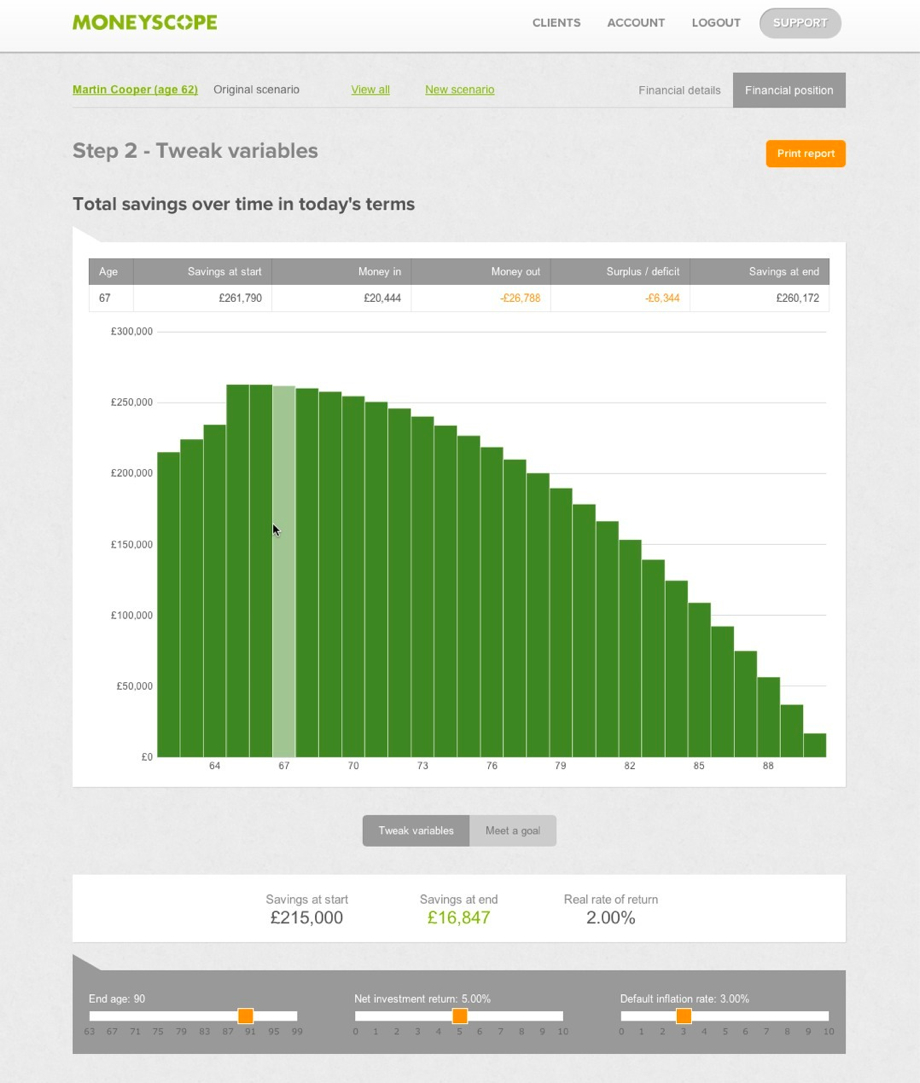
Moneyscope has created a cash flow forecast based on the information you have entered. As you hover over the bars in the graph, the data for that year is summarised in the table above.
You can adjust the sliders to reflect variables such as the end age, net investment return and default inflation rate. As you adjust the sliders, you'll notice that both the numbers in the summary boxes and the graph, which reflects savings over time, are automatically updated. Once you've done this, use the yearly breakdown to take a look at the figures in more detail.
Step 4 - Meet a goal
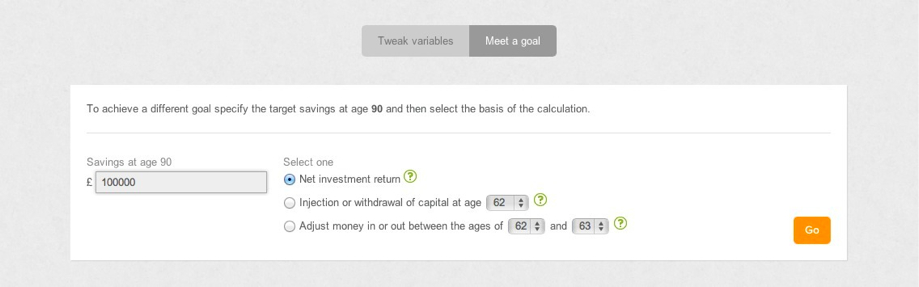
If your client has a specific goal in mind that they won't meet with the current cash flow forecast, you can identify the adjustments needed to meet that goal.
Simply enter the target savings value at end and select the basis upon which you're calculating and click 'Go'. Based on the criteria you select, Moneyscope will calculate what your client needs to do to meet their goal. You can then save this as a new scenario or start again.
Step 5 - Produce the report
The report allows you and your client to view important figures at-a-glance with the yearly breakdown and graph that shows savings over time.
If you'd like to, you are able to personalise the report with your company's logo. You are also able to add individual notes to each scenario which then show on the report. Of course, if you don't want to, you don't have to.
Here's a sample report to take a look at.
Step 6 - Build more than one scenario for a client
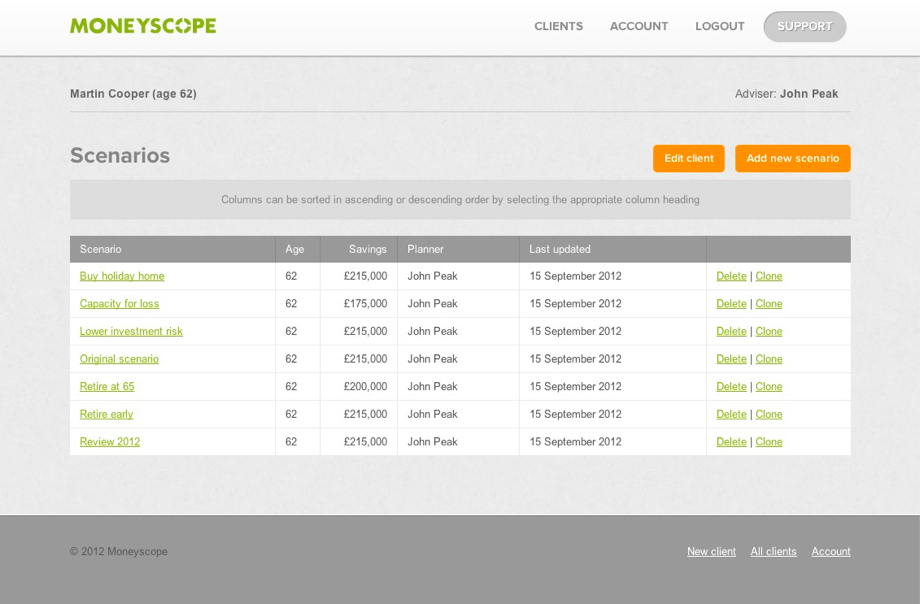
With Moneyscope, it's possible to build more than one scenario for each client. The 'Clients' page allows you to see the number of scenarios you've built for each client. You are then able see all the scenarios you've created for a client and you can generate a new scenario. Either create a new scenario for a client from scratch or clone an existing scenario and the click 'Continue' to tweak the variables as usual. If you copy from an existing scenario, it won't change the original scenario you set up.